First financial year
Onboarding creates your company, initializes its local database and generates the first declarative periods to follow. It takes place mostly in the interface — not in a conversation with the agent — because these choices condition everything else in the file.
Creating the company
When you add a company, Simon opens the creation screen. You can search for the business by SIREN or by name and select a result from the public API, or enter the information by hand. A found result pre-fills what the API returns — SIREN, name, address, legal form, activity, director — which you can correct before continuing.
Only the SIREN and the name are essential: without them, Simon cannot create the company’s space.
Configuring the financial year and periods
Next comes the tax configuration. It is what determines the obligations Simon will generate, so take the time to check it before validating.
| Parameter | What it drives |
|---|---|
| Tax regime | The income returns and the followed forms. |
| VAT regime | The VAT periods and forms generated, or the absence of VAT to track. |
| VAT frequency | The control rhythm: monthly, quarterly, annual or franchise (exemption). |
| Closing month | The financial year-end date, hence the year-end closing and annual obligations. |
| Periods managed elsewhere | The months or financial years to exclude from the work plan. |
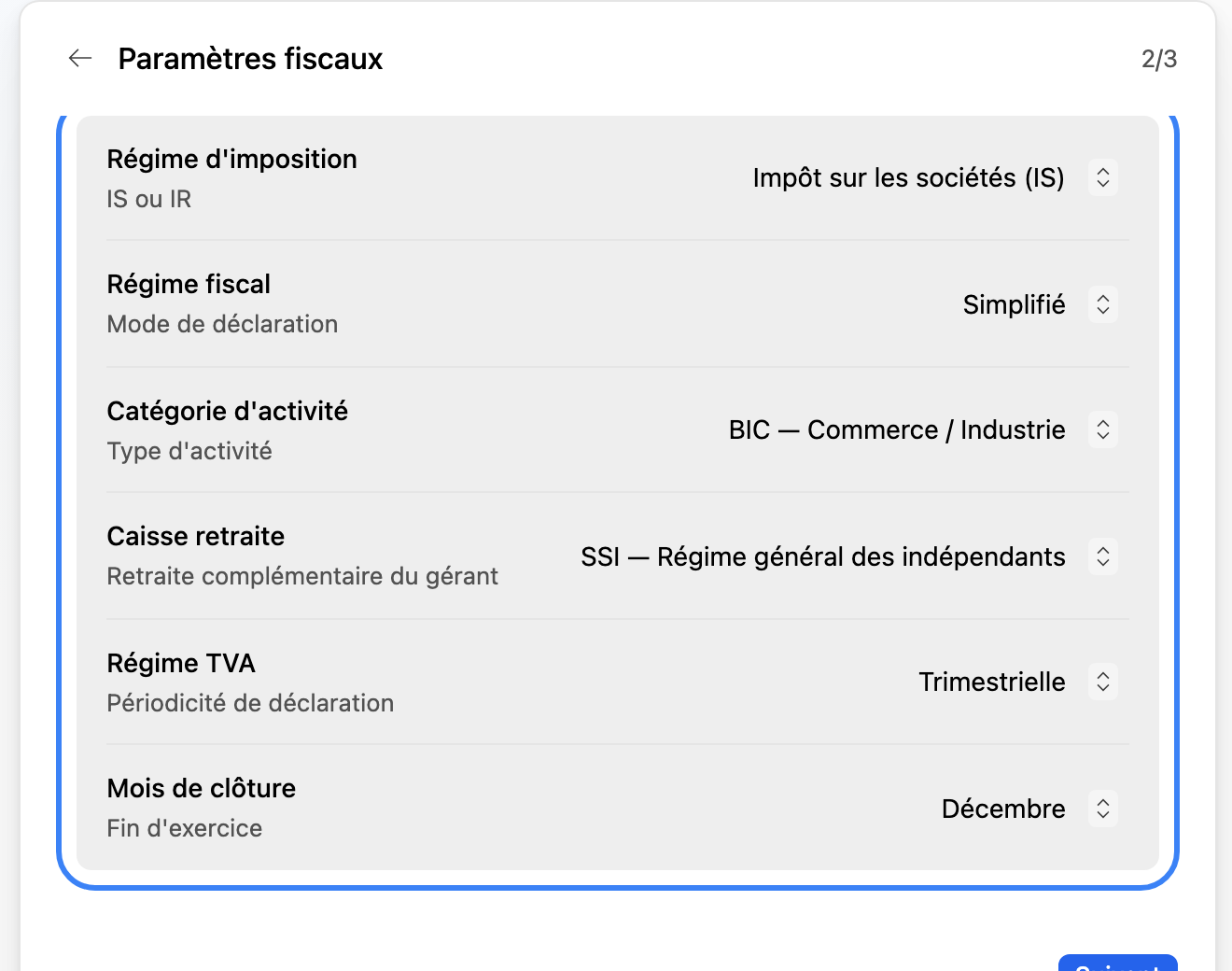
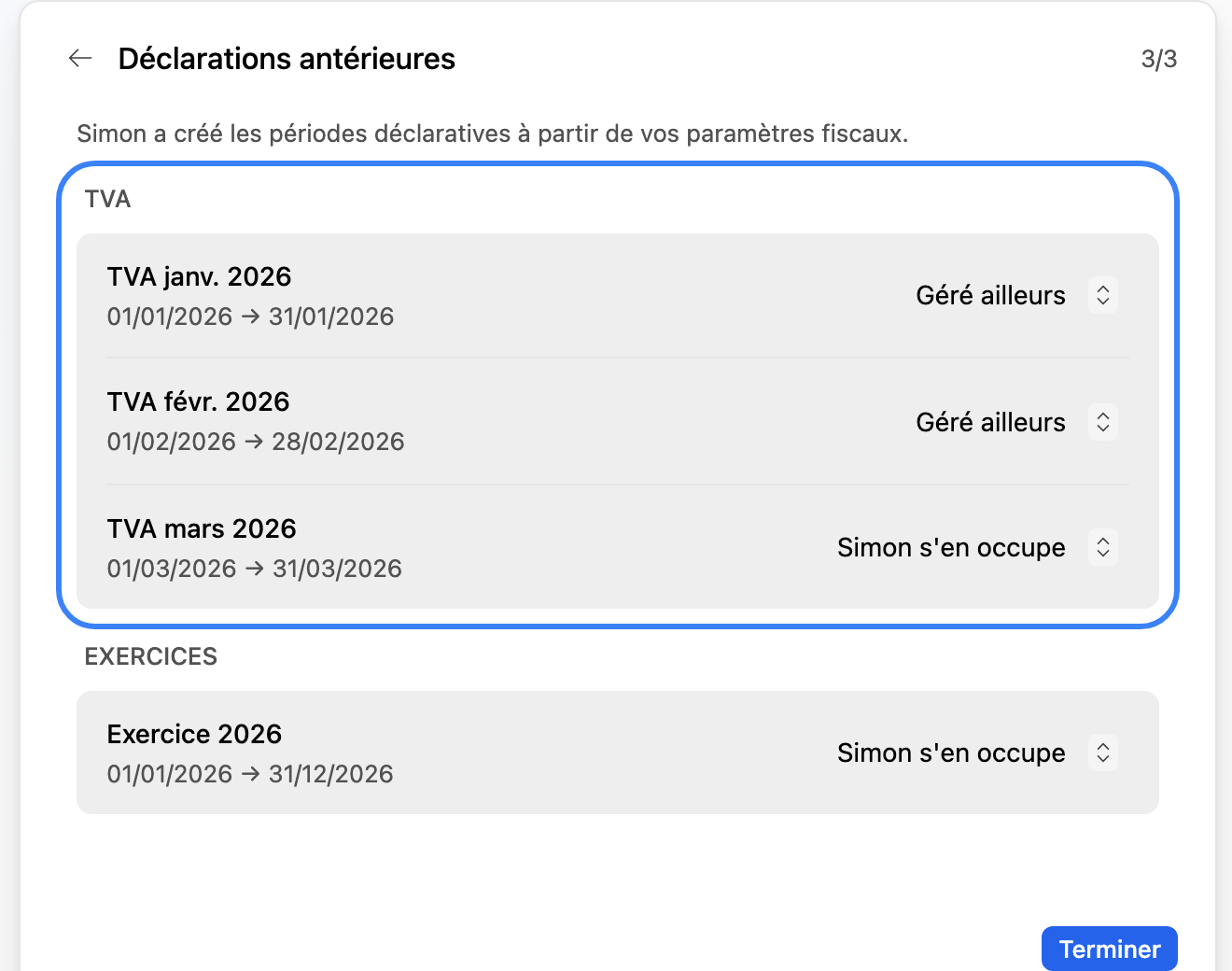
If the company is not subject to VAT, Simon switches the regime to franchise (exemption). And the periods marked as managed elsewhere remain editable later, from the settings — nothing is set in stone.
Bank accounts
Company creation does not necessarily require the bank accounts right away. But an active account with an IBAN becomes necessary as soon as you tackle reconciliation and bank tracking. You can create it by hand from the entity screens, let it appear when importing a first usable statement, or complete a detected account that is missing its IBAN.
Without a usable bank account, Simon keeps moving forward on the rest, but will block any action that depends on a reliable reconciliation.
Are you taking over an existing accounting?
If you are migrating from another piece of software, Simon can take you into migration mode. The agent then directs you toward the FEC import, generally recommending taking over the previous financial year or the period already kept. See Importing your accounting (FEC).
What Simon sets up
Once the configuration is validated, Simon chains together behind the scenes: it creates the company’s local space and its database row, records the tax parameters, opens the current financial year, then deduces the expected declarative periods and obligations from it and prepares the workflow that will track documents, bank, returns and year-end closing.
From there, the agent knows how to diagnose what is missing and guide you toward the next useful action.